Skip to content

Portfolio · Institutional housing · Web

Every room, its state,and who may change it.

This is a room and hall booking system for an institutional housing society running two branches: the same room inventory sits behind a public booking page, a reception desk, a cleaner’s board and a branch console, with each role seeing the same rooms and only the actions it is allowed.

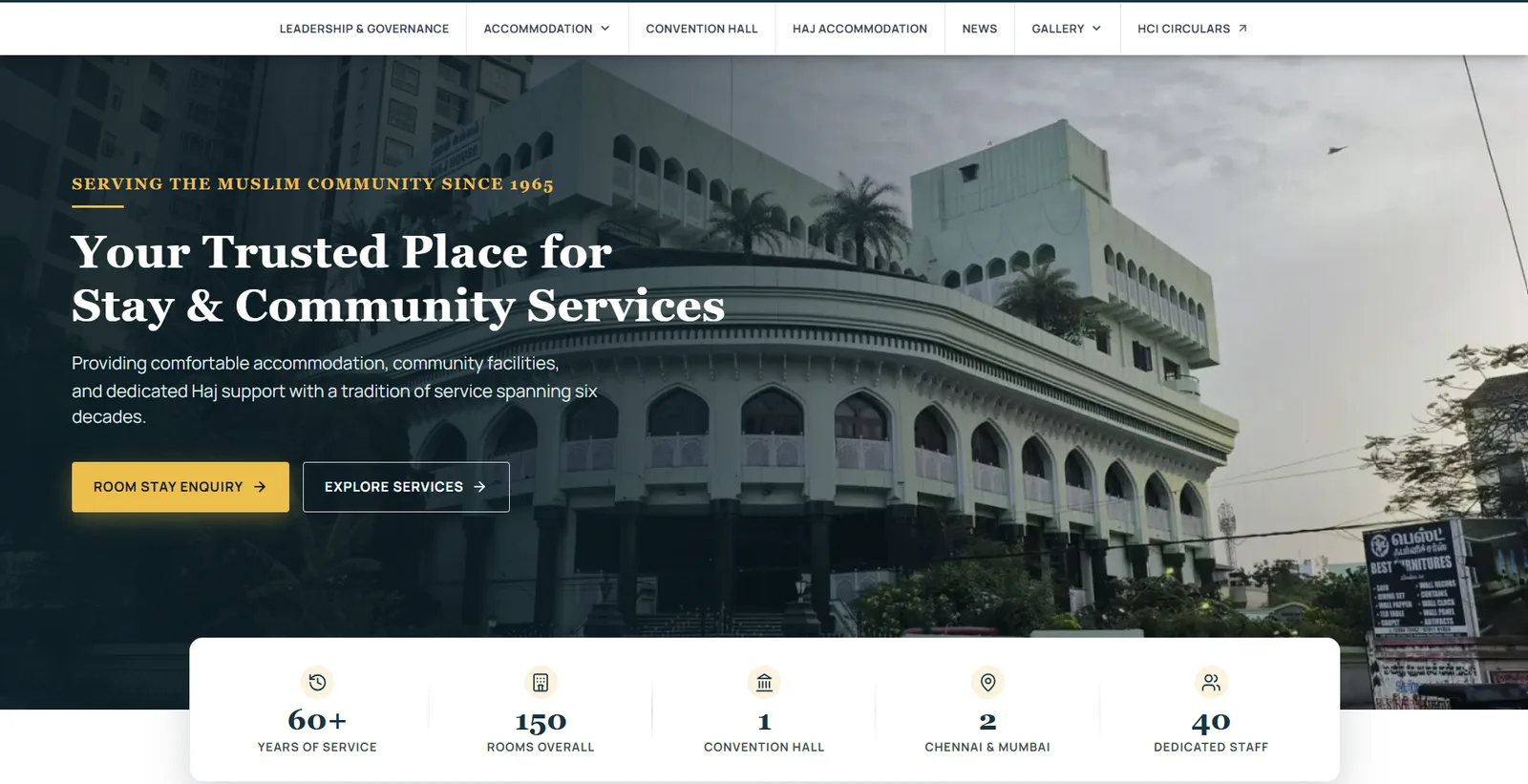
The public home page of an institutional guest house, opening on the building itself with years of service and room counts beneath it.
It opens on the building, and its numbers: years of service, rooms, one hall, two branches.
01Sector
Institutional housing — two branches
02Rooms
One hundred and ten, one thousand-seat hall
03Roles
Five, one inventory
04Surfaces
Public site, desk, console
Act 01/ 03No captures

The public site

It opens on the building, and its numbers.

The society’s own building is the first picture, with years of service counted under it and a room enquiry as the first action. Two dates and a guest count return what is free to stay in; an event date and a guest count return what is free in the hall, with the office numbers beside the form for confirmation.

  1. 01.01

    Two buildings, counted first

    Rooms in a main building and an annex, shown before a date is even chosen.

  2. 01.02

    Three fields, one button

    Check-in, check-out and guests are all the form asks before Check Availability.

  3. 01.03

    Booked by the day, not the night

    The hall takes one event date and a guest count against its full capacity.
Act 02/ 033 captures

The desk

Today at the desk, before any menu.

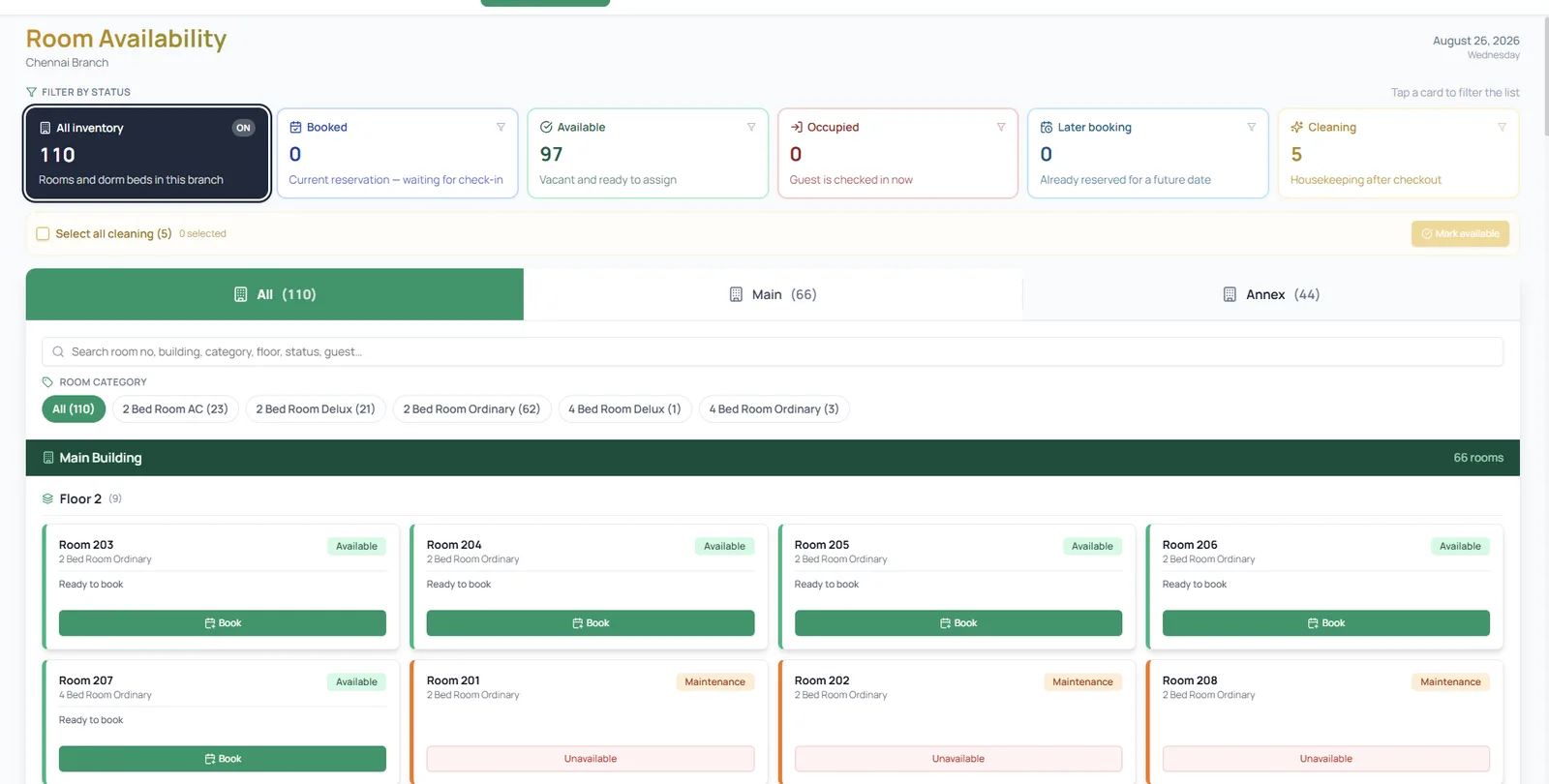
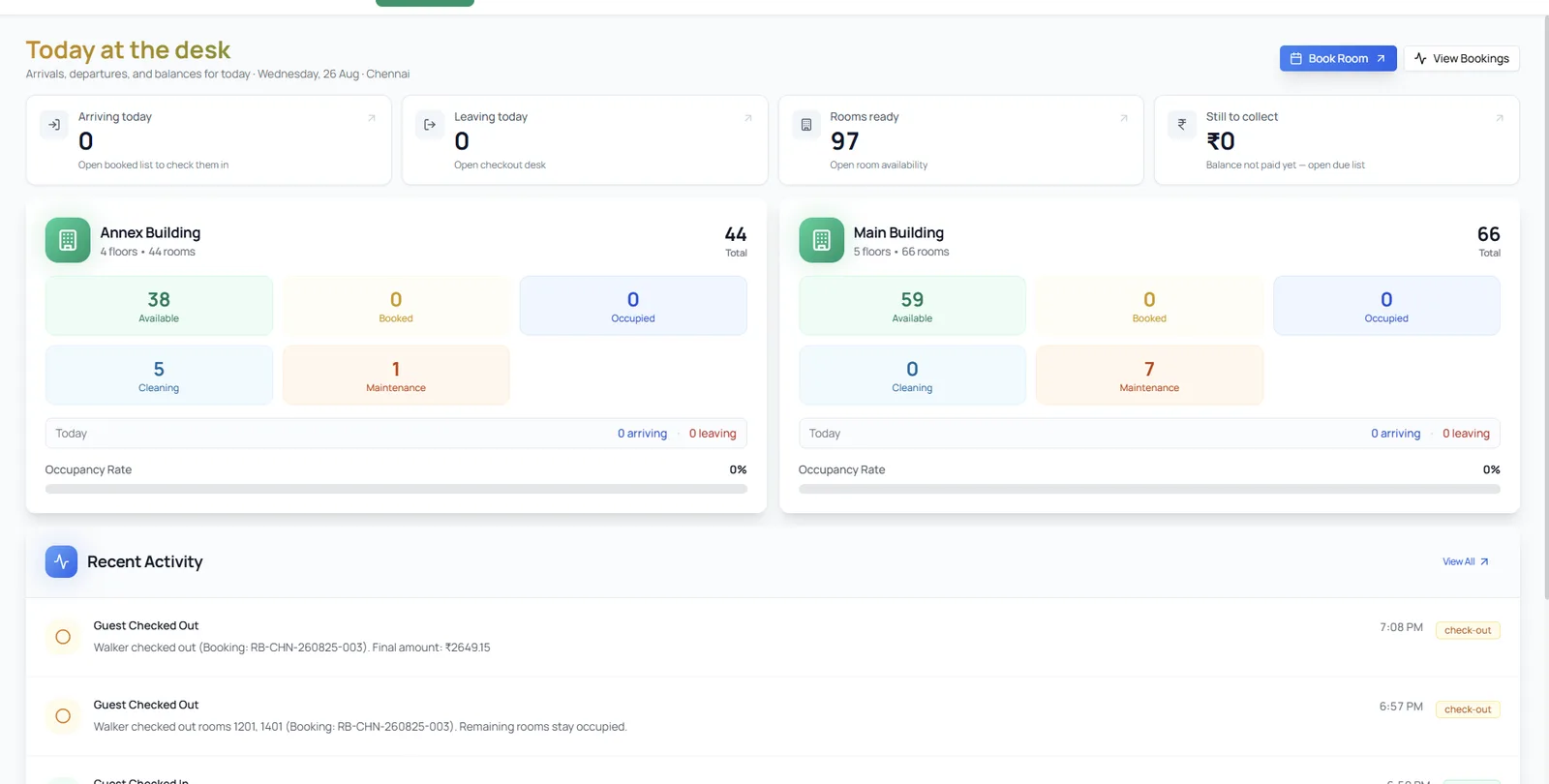
Arrivals, departures, rooms ready and money still to collect open the day, then each building’s rooms by state — available, booked, occupied, cleaning, maintenance — with a feed of what just happened, to the minute. Every room is a card with its own state; status filters, building tabs and category chips find one fast, and a Book button sits on every free one.

A reception desk dashboard with arrivals, departures, rooms ready and balances due, and two buildings broken out by room state.
Today at the desk, before any menu: four numbers, then each building by state.
A room availability board with status filters across the top and rooms shown as cards, floor by floor, each with a Book button.
Every room as a card, with its state — a Book button on every free one.
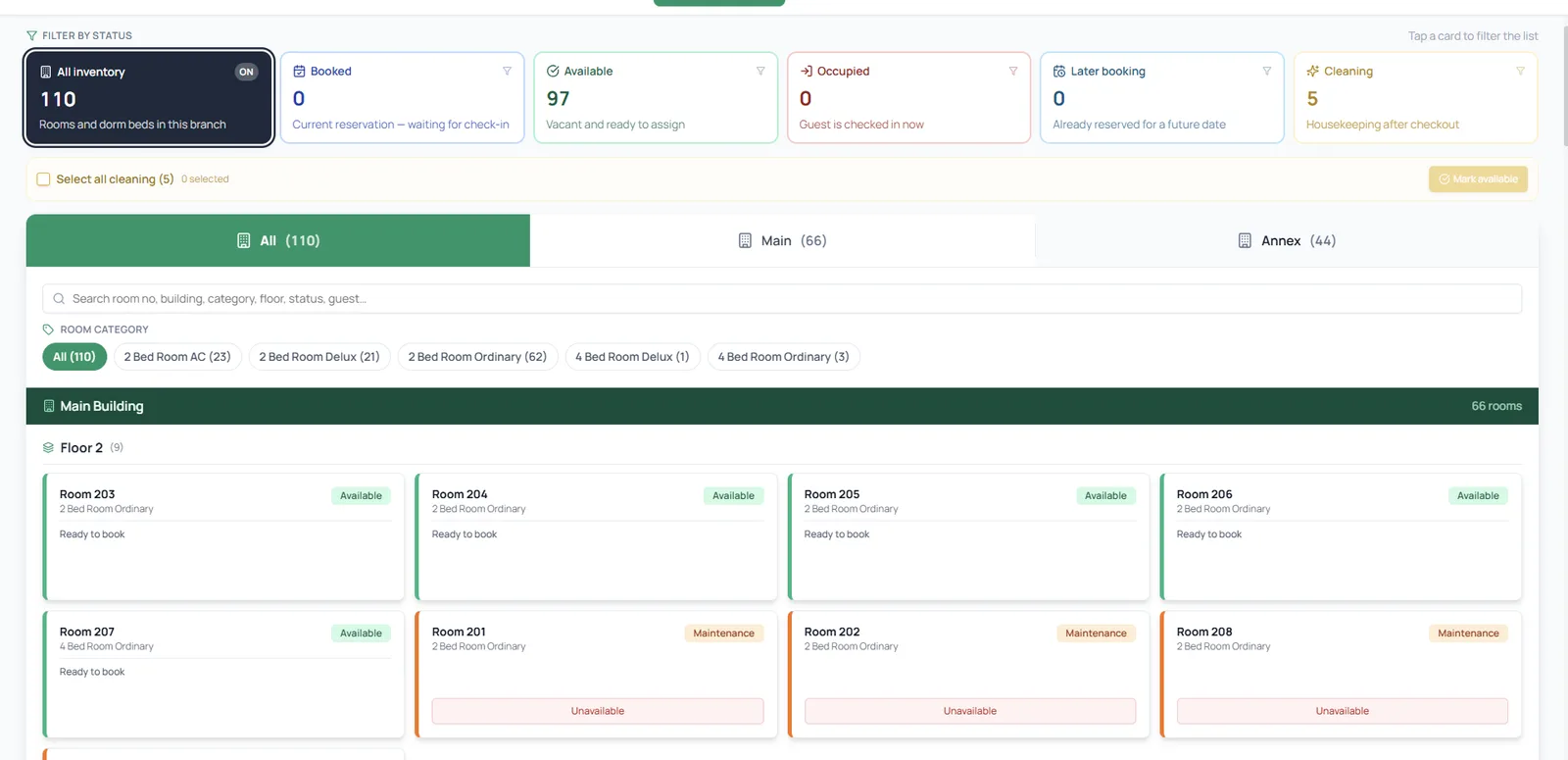
The same room board as the cleaner sees it, with the Book buttons replaced by a Mark available action on a selected queue.
The cleaner sees the same board, with the Book buttons gone and Mark available in their place.
  1. 02.01

    Four numbers for the day

    Arriving, leaving, rooms ready and still to collect, each opening the list behind it.

  2. 02.02

    Cleaning is a queue

    Rooms in Cleaning are selected together, then marked available as one action.

  3. 02.03

    Same board, one job

    The cleaner’s board is the desk’s own, with the Book buttons gone and Mark available in their place.

Act 03/ 034 captures

The console

One branch, or every branch at once.

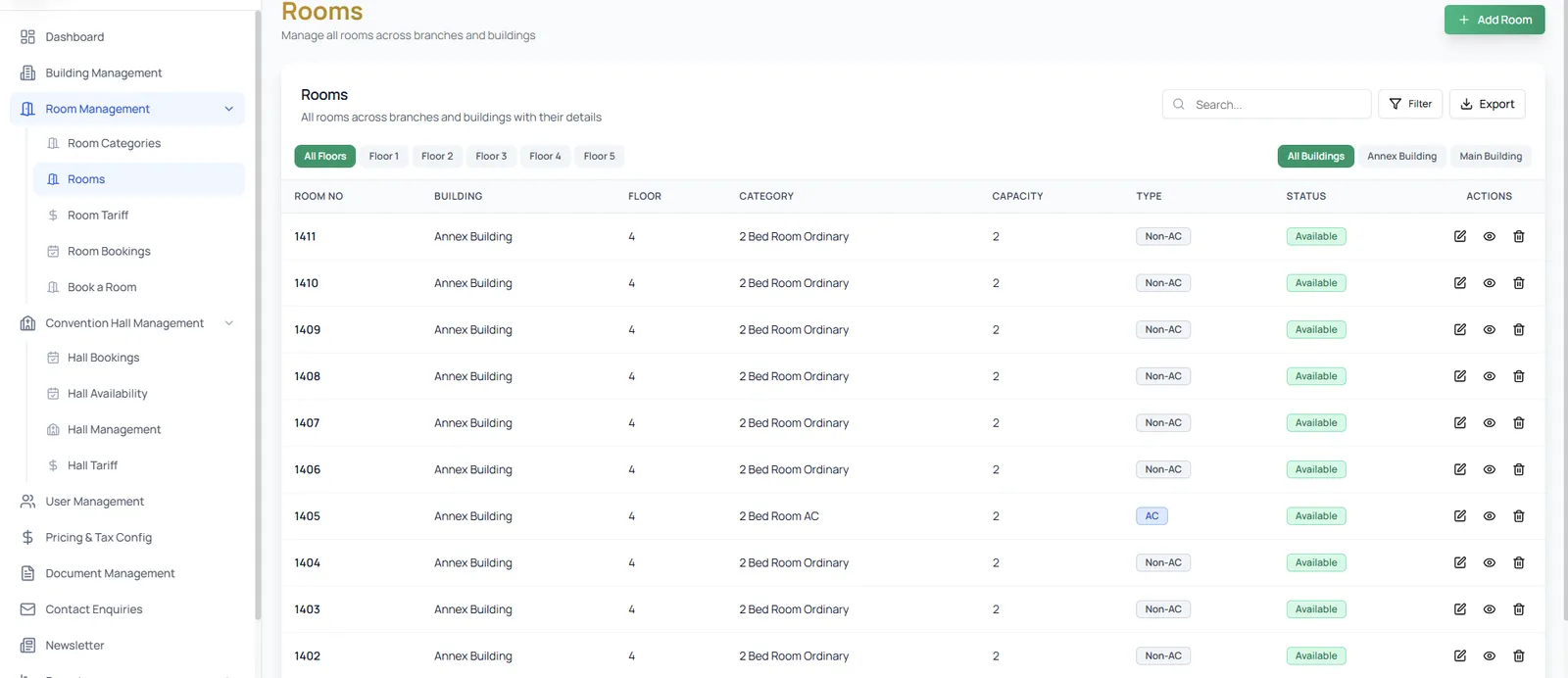
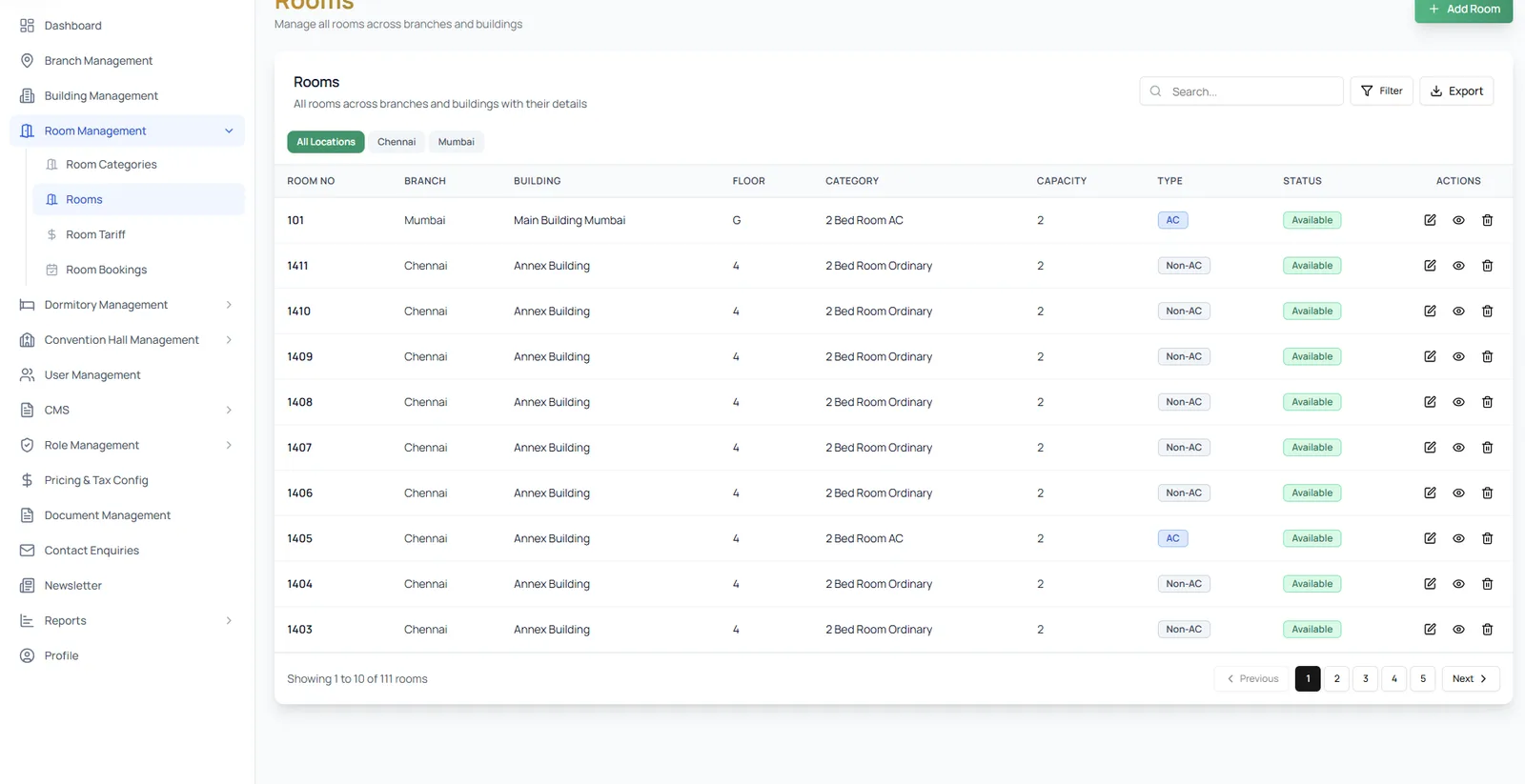
A branch manager’s room list is filtered by floor and building, with capacity, type and state on every row; prices are set per branch, per category, down to the extra bed. A super admin sees the same list across every branch with a location filter — and the public pages are edited from the same portal, block by block, so the copy changes without touching the layout.

A branch console room list with room number, building, floor, category, capacity, AC type and status on every row.
A branch manager’s room list, filtered by floor and building, with everything on the row.
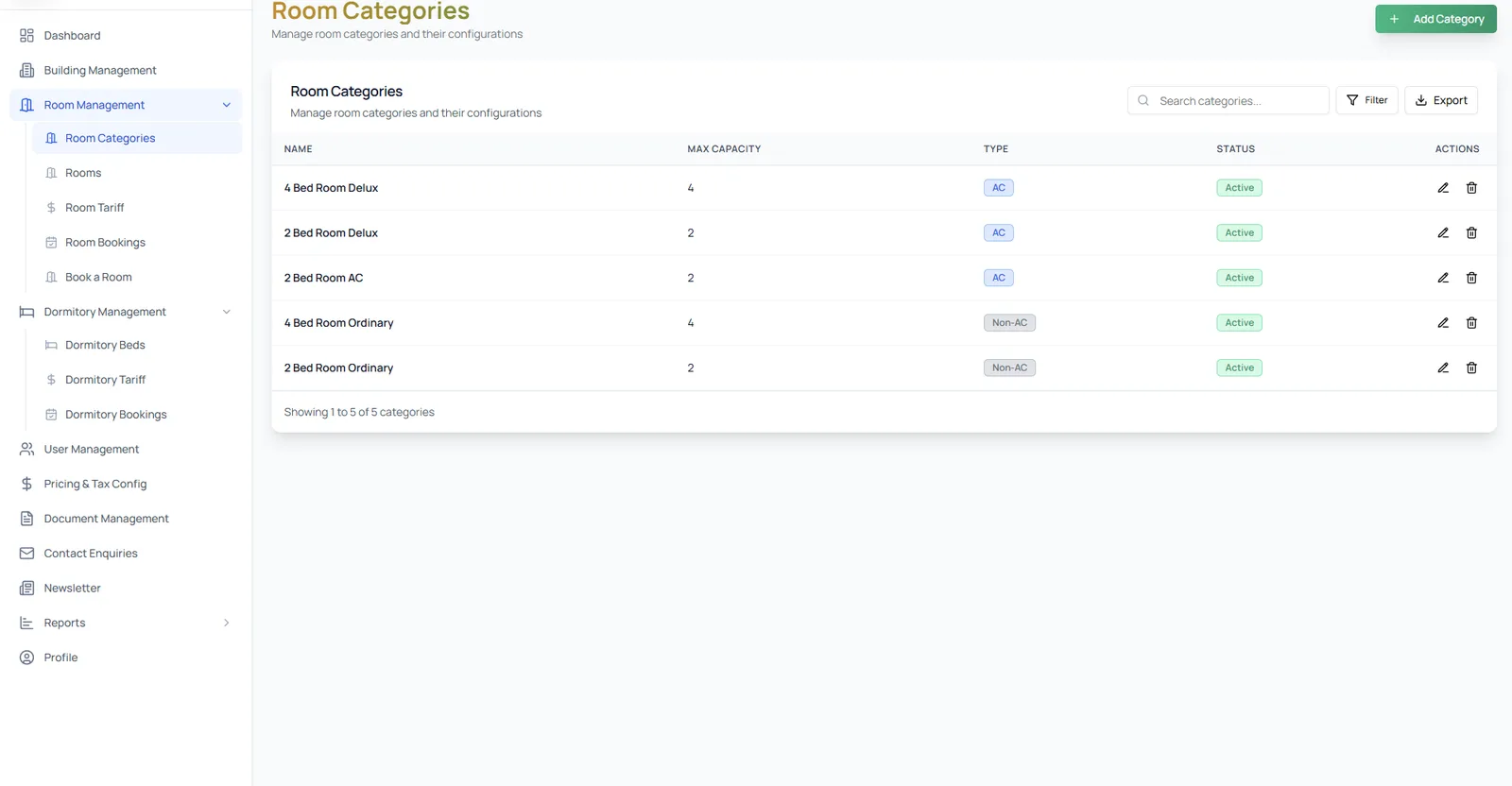
A room categories screen listing five categories with their maximum capacity, AC or non-AC type and active status.
Five categories, two capacities: ordinary, deluxe and AC, each with its own maximum.
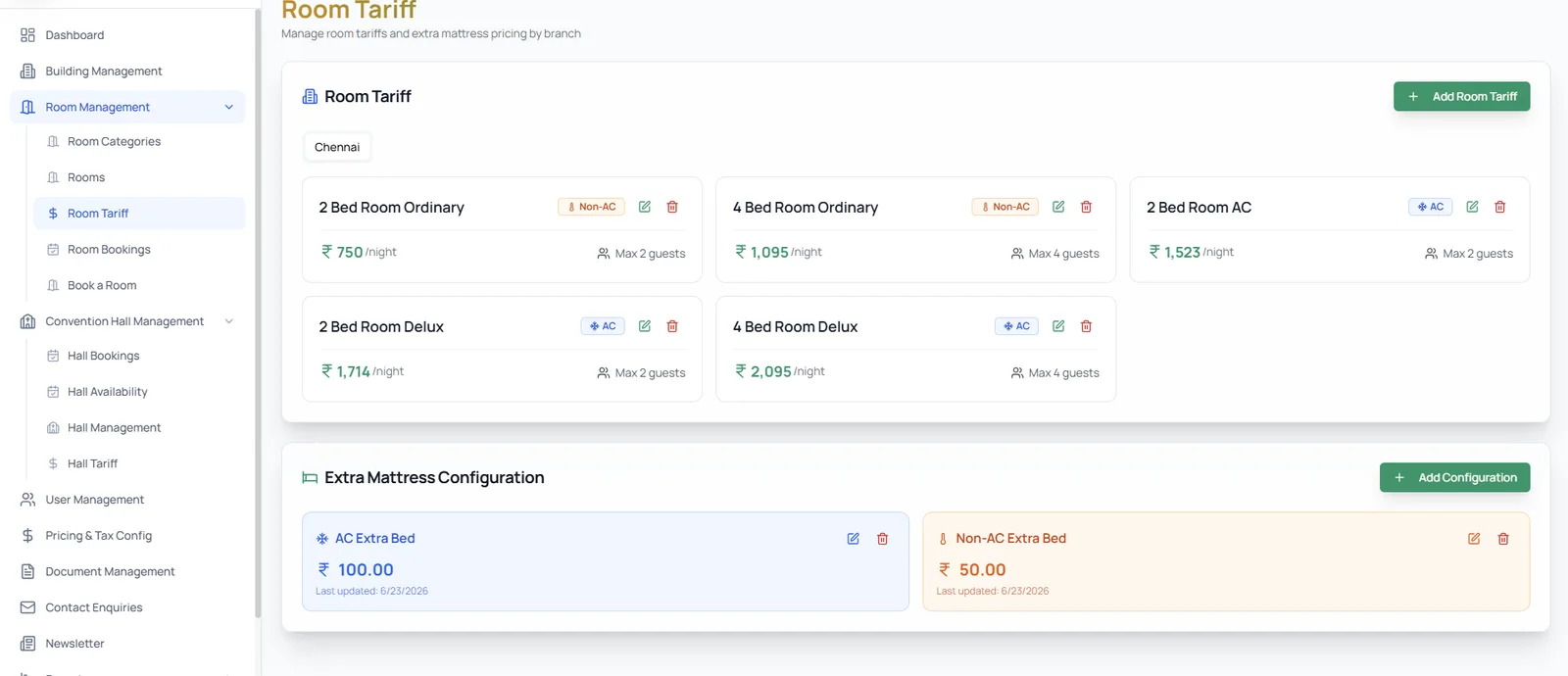
A room tariff screen with a nightly rate per category and a separate extra-mattress price for AC and non-AC.
Prices are set per branch, per category — and an extra bed priced apart for AC and non-AC.
A super admin room list spanning both branches, with a branch column and a location filter over the same table the console uses.
The super admin sees every branch at once, on the same room list the console uses.
  1. 03.01

    Prices, per branch and category

    Each room category is priced by the night, with an extra bed priced separately for AC and non-AC.

  2. 03.02

    Every branch, one filter away

    The super admin’s room list carries a branch column and a location filter over the same inventory.

  3. 03.03

    The page map, first

    Each public page is listed block by block, in the order the live page shows them, before a word is edited.

The last word

This shows how Famysys builds for an institution that houses people at scale: one room inventory read by five roles — a guest checking dates, a desk checking people in, a cleaner turning rooms around, a branch manager setting categories and tariffs, and a super admin seeing every branch and editing the public site. We start from your buildings and your roles rather than from a template.

Built in

  • Public booking
  • Reception desk
  • Housekeeping board
  • Branch console
  • Super admin & CMS

All projects

Let's build what's next

Technology alone doesn't transform businesses.The right partnership does.

Modernizing systems, building a new product, or exploring AI-driven transformation — Famysys helps you move forward with confidence.

  • SOC2 Type II Compliant
  • Strict Commercial NDA
  • Zero Lock-In Guarantee

Famysys

We Engineer Clarity

Scan to Connect

Instant digital business card & WhatsApp link