Skip to content

Portfolio · Surface showrooms · Web

Any tile in the catalogue,laid in a room you can turn.

This is a stone and surface showroom with a room you can walk around. Every collection states its material, its origin and the surface it belongs on before it states its name; any tile can be laid on the floor or the walls of a furnished room and then rotated, zoomed and rescaled in place; and one console behind both holds the products, the projects, the stock and the leads. One product record, read three ways.

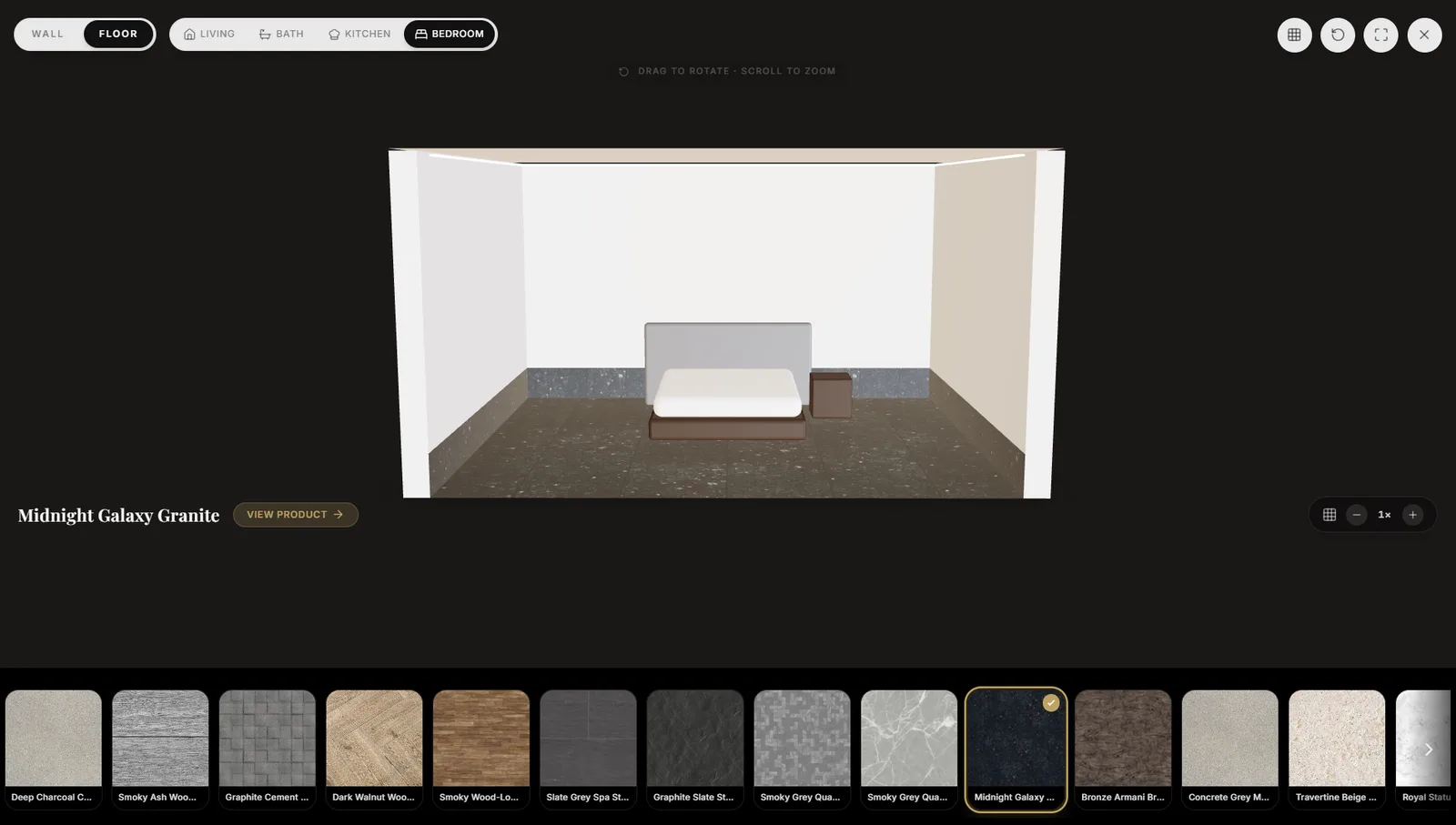
A 3D room viewer showing a furnished bedroom with a dark speckled granite laid across the floor, a rail of finishes beneath it and a drag-to-rotate instruction above.
The tile laid in a furnished room, with the whole catalogue on the rail beneath it.
Sector
Surface showrooms — stone, porcelain and marble
Surfaces
Showroom, 3D room, admin console
The viewer
Four rooms, two surfaces, 1× to 3× scale
Stack
React · Node API
01

The showroom

/ 03

What it is and where it goes, before the name.

A collection card leads with three tags read in one order — the material, whether it is imported, and the surface it belongs on — and only then the tile’s name. There is no figure anywhere on the card: the header carries Enquire instead, and a price arrives in a conversation. Two ways lead out of every card, and they go to different places: View details opens the product, View in 3D opens the room with that tile already down.

  1. 01

    Three tags before the name

    Material, origin and application, always in that order.

  2. 02

    Priced by enquiry

    No figure on any card; the header carries Enquire instead.

  3. 03

    Two ways in from one card

    View details opens the product, View in 3D opens the room.
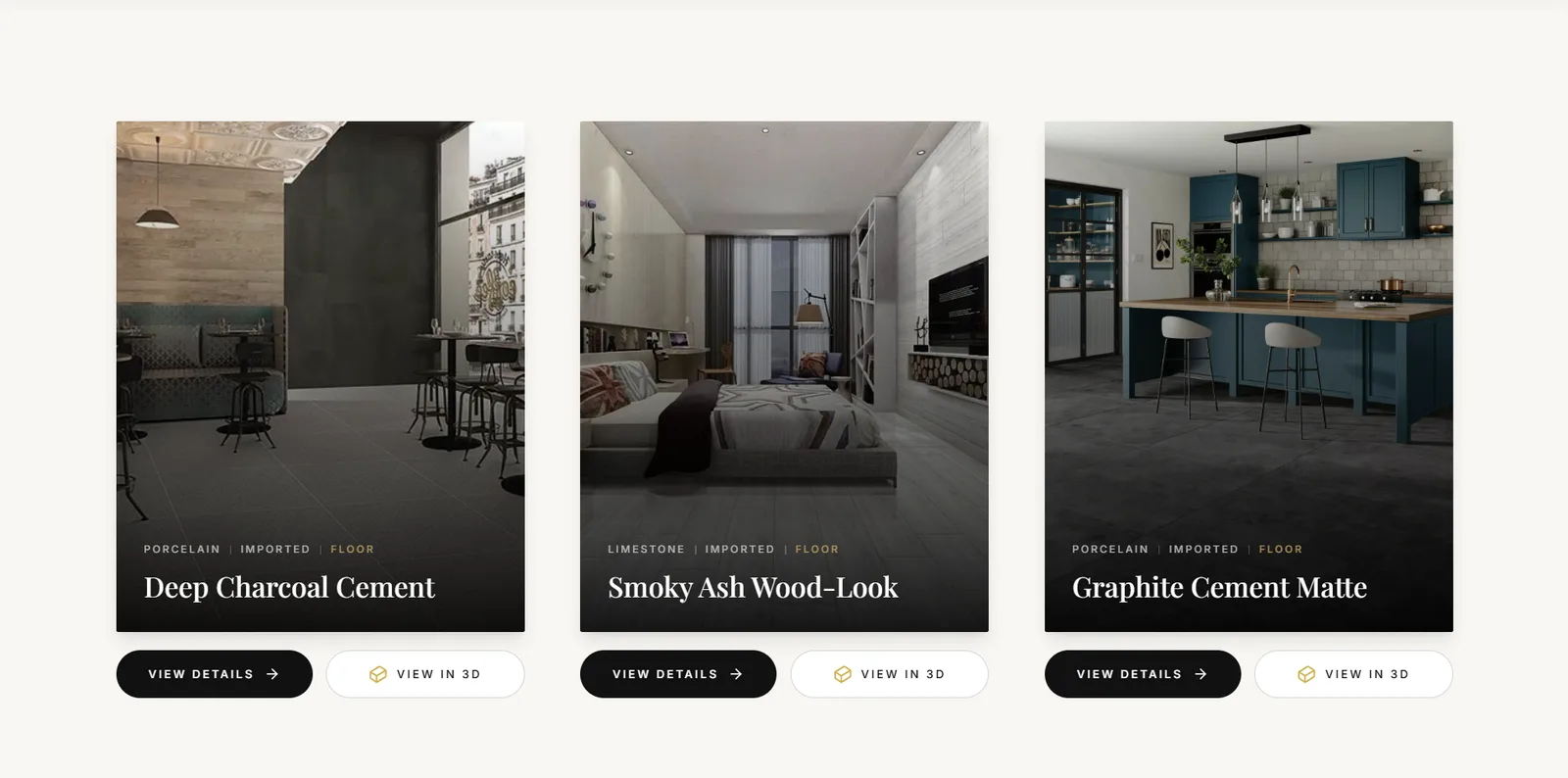
Three tall product cards, each captioned with its material, origin and application above the tile name, and each carrying a View details and a View in 3D button.
Porcelain, imported, floor — read in that order, above the name. No price on the card.
02

The 3D room

/ 03

Lay it down, then walk around it.

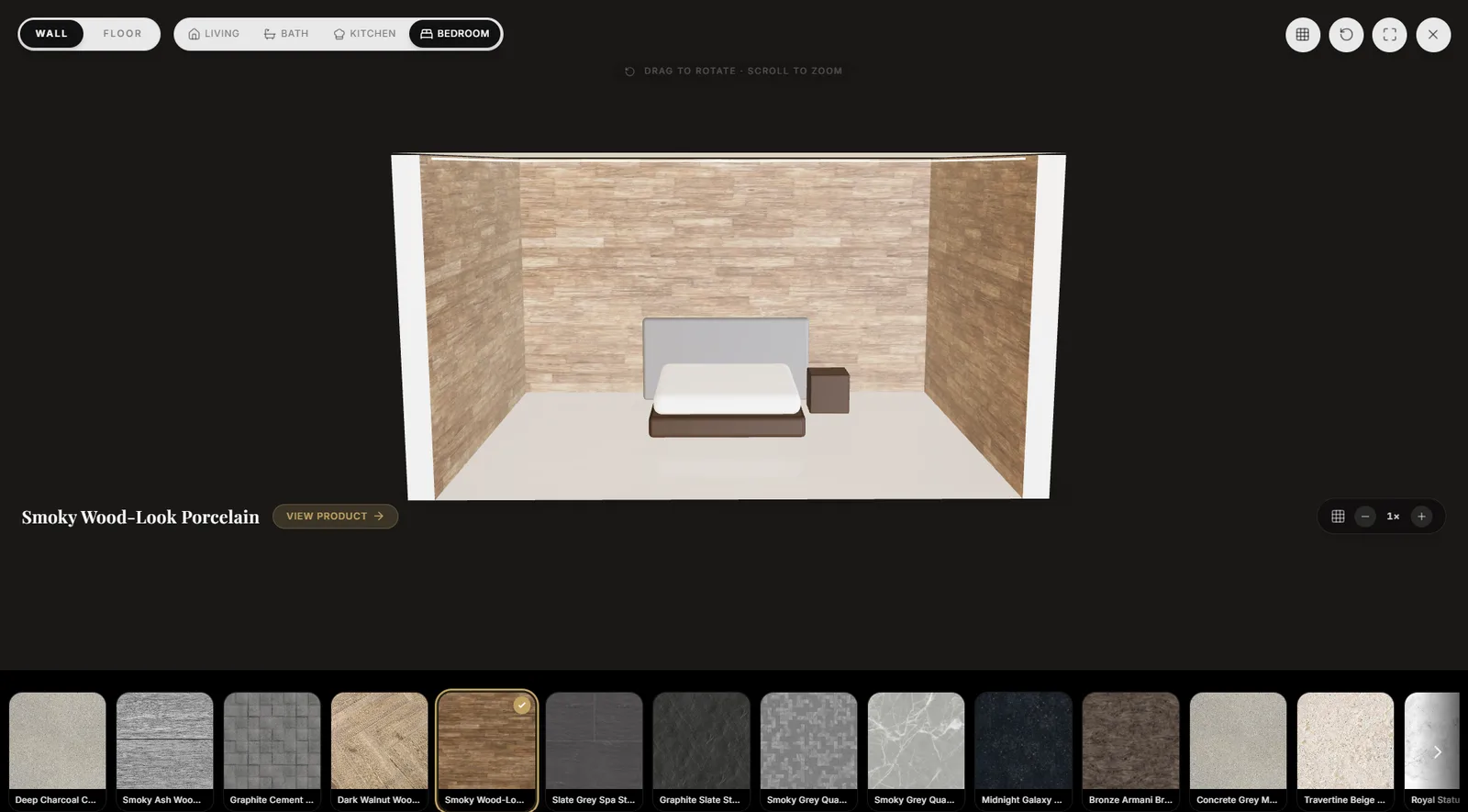
The viewer is a furnished room rather than a swatch, and it answers to the mouse: drag to rotate, scroll to zoom. Wall and floor are one toggle apart, and the room re-renders with the same tile moved onto the other surface — the bed, the sofa and the lighting hold their places, which is what keeps the tile’s sense of scale. Four rooms are offered, and the tile scale steps from 1× to 3×, so a large-format slab reads as one piece rather than as many small ones.

  1. 01

    One toggle, two surfaces

    Wall and floor swap without leaving the room or losing the tile.

  2. 02

    The furniture stays put

    Bed, sofa and lighting hold, so the tile keeps its sense of scale.

  3. 03

    Scale is a control, not a guess

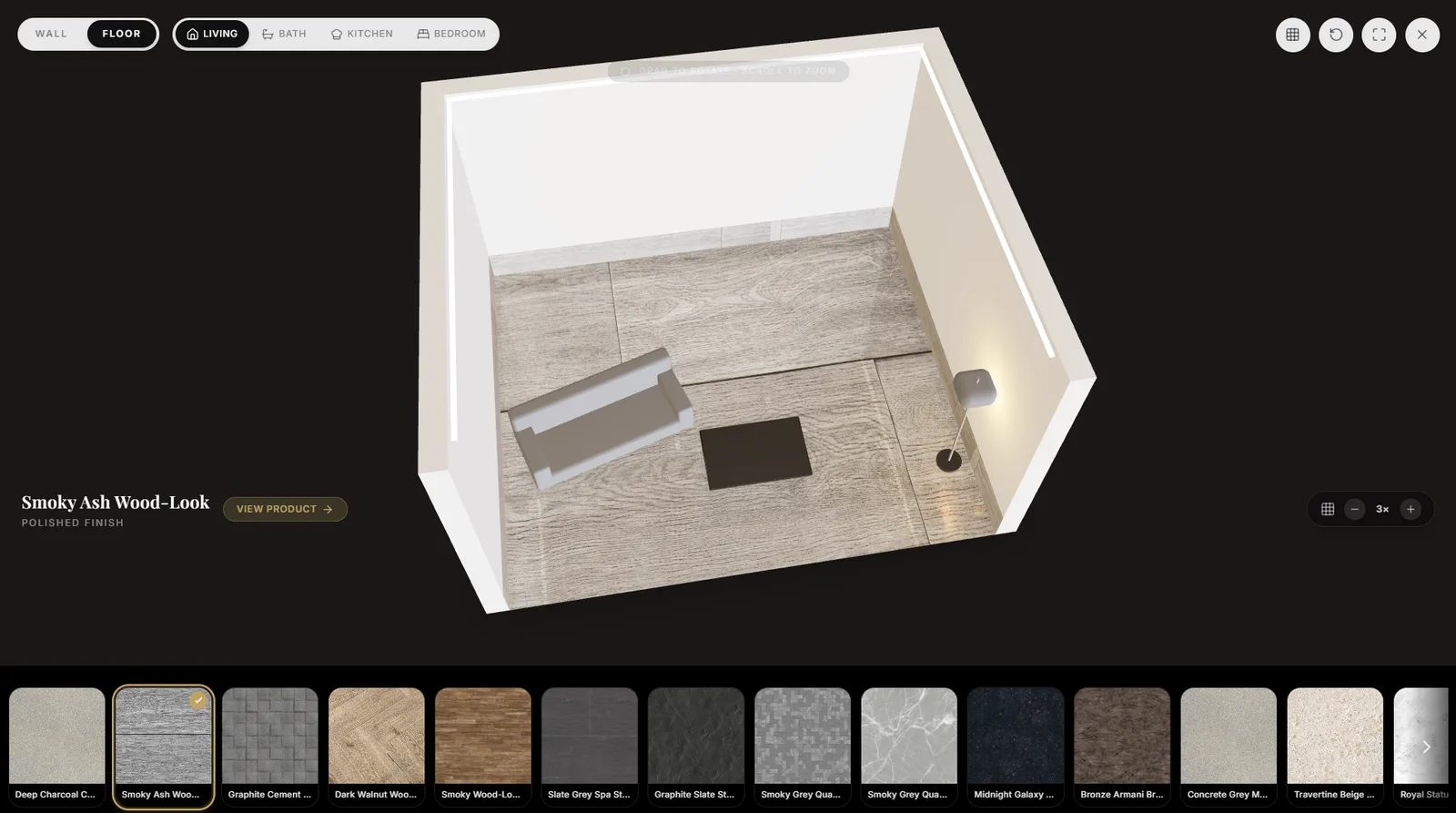
    Tile scale steps 1× to 3×, with a grid overlay, a reset and a fullscreen beside it.

The same bedroom with a wood-look porcelain moved onto the walls, the floor left plain, and the finish named beneath the room.
One toggle moves the tile from the floor to the walls; the furniture stays put.
The room viewed from overhead with the tile scale stepped up to three times, showing fewer and larger floor tiles.
Overhead, at 3× — the size a large-format slab actually reads at.
03

The console

/ 03

It opens on stock, not a menu.

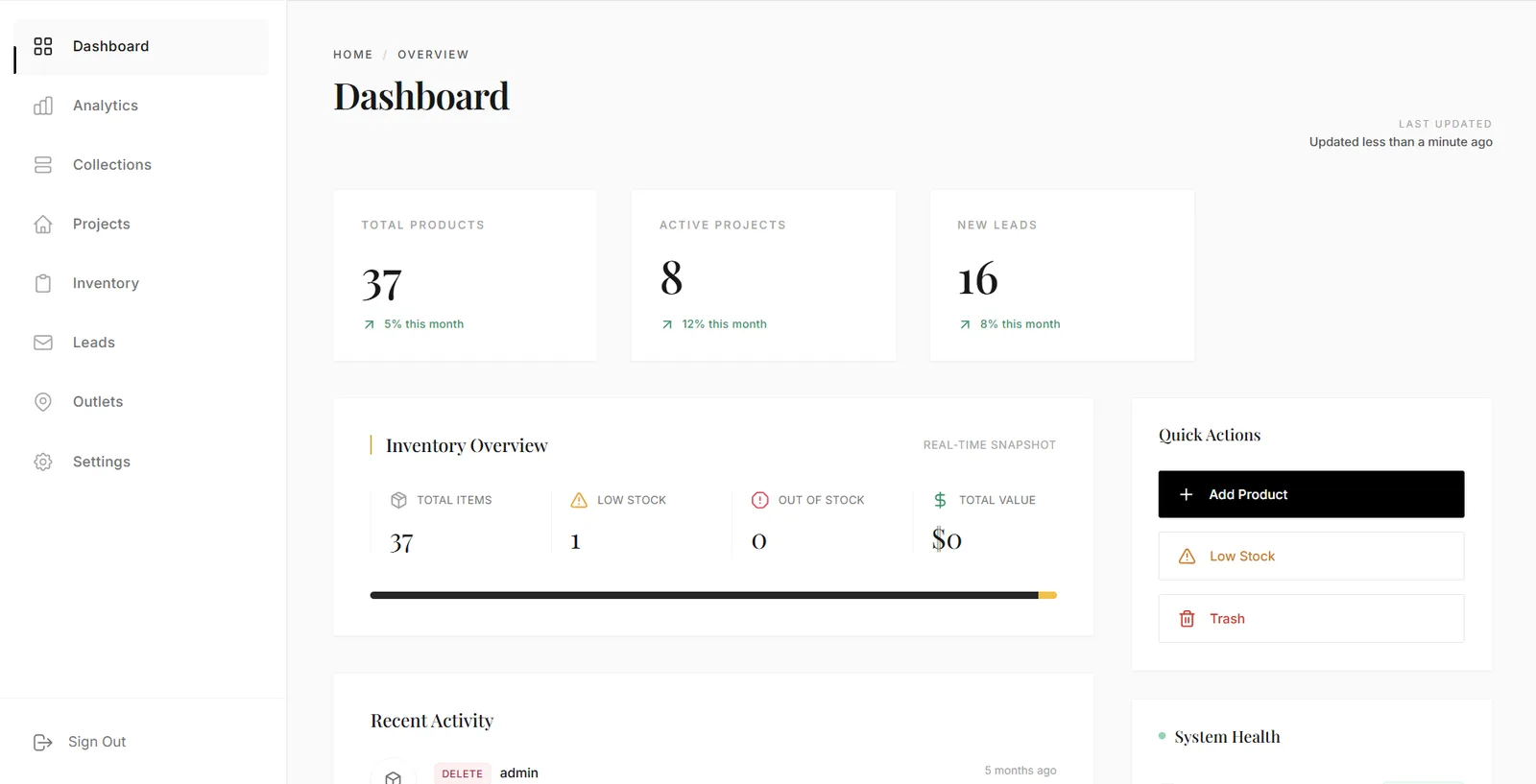
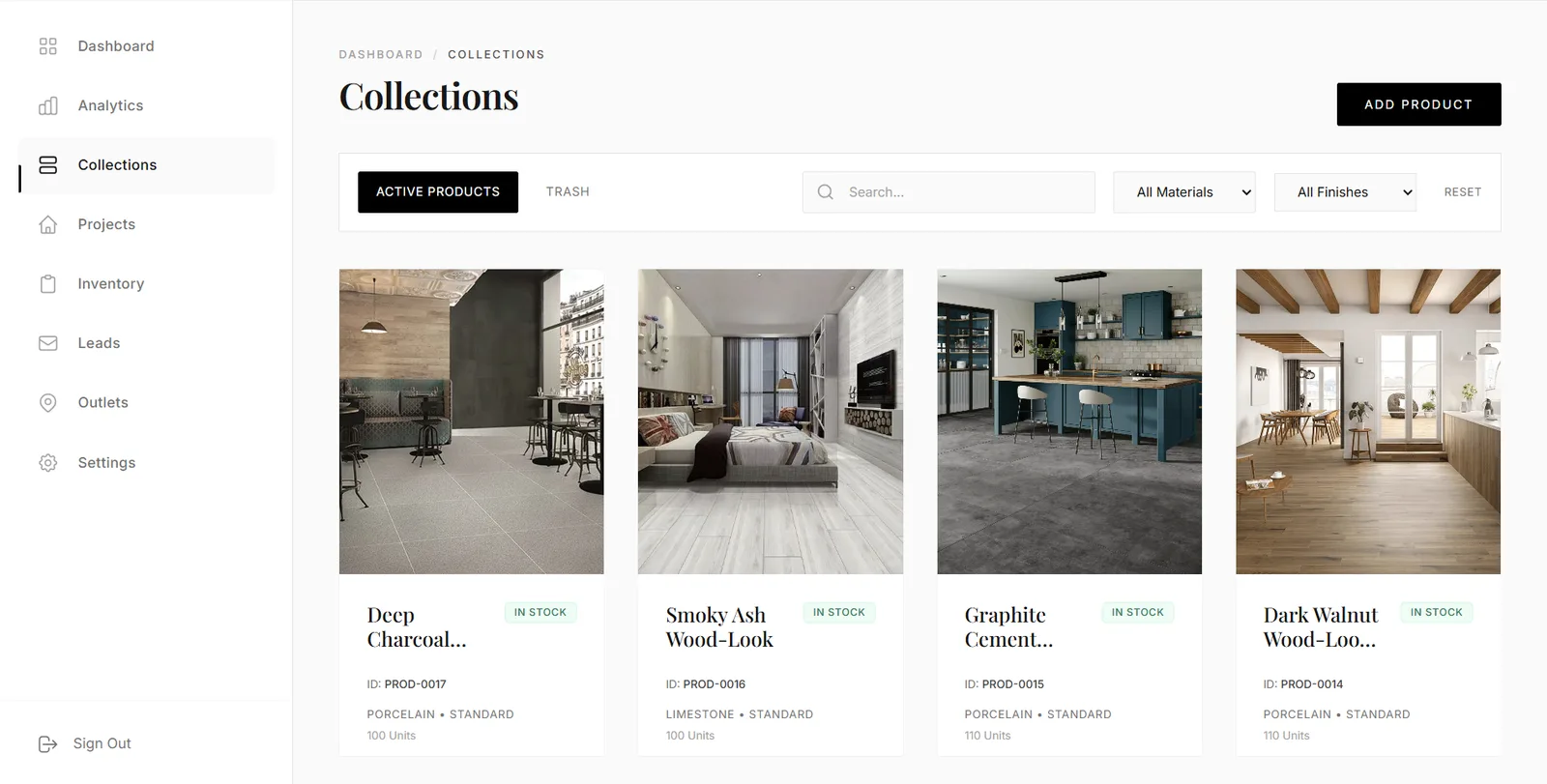
Three counts run across the top — products, active projects and new leads — each with the move it implies, and an inventory strip beneath them holds total items, low stock, out of stock and total value side by side. Three actions sit beside the numbers rather than behind a menu: add a product, jump to low stock, open the trash. Collections is the showroom’s own catalogue seen from behind, where every card carries the identifiers and the stock the showroom keeps to itself — a product ID, the material, the finish, the units held, and whether it is active or in the trash.

  1. 01

    Counted, and given a direction

    Products, active projects and new leads, each with its own next move.

  2. 02

    Stock gets its own row

    Total items, low stock, out of stock and total value, side by side.

  3. 03

    Active or trashed, on the card

    Every product carries its ID, material, finish, units held and state.

A console dashboard counting total products, active projects and new leads, above an inventory overview strip and three quick actions.
Counted, and given a direction: each number has the action it implies beside it.
A collections table of product cards, each with a product ID, material, finish, units held and an in-stock chip, filtered by material and finish.
The same catalogue from behind, carrying the identifiers the showroom keeps to itself.

The last word

This shows how Famysys builds for a business whose buyers need to see a material in place before they commit: one product record read three ways — a showroom that leads with material and application, a real-time room that lays any tile on a floor or a wall, and a console holding the stock, the projects and the leads behind both. If you sell a surface, we start from your collections and your rooms rather than from a template.

Built in

  • Showroom
  • Real-time 3D room
  • Admin console
  • Inventory & leads
  • Enquiry-led pricing

All projects

Let's build what's next

Technology alone doesn't transform businesses.The right partnership does.

Modernizing systems, building a new product, or exploring AI-driven transformation — Famysys helps you move forward with confidence.

  • SOC2 Type II Compliant
  • Strict Commercial NDA
  • Zero Lock-In Guarantee

Famysys

We Engineer Clarity

Scan to Connect

Instant digital business card & WhatsApp link