Skip to content

Portfolio · Independent restaurants · Web and mobile

One order record,and three ways into it.

A barbecue and biryani kitchen taking orders in the browser, at the desk and on the floor at the same time. Three surfaces sit on one API: a storefront a customer needs nothing installed to order from, an admin console the owner runs the menu, the offers and the day from, and an Android build the floor team carries. An order placed on the site is the row the console confirms and the phone marks ready — nothing is re-keyed between them.

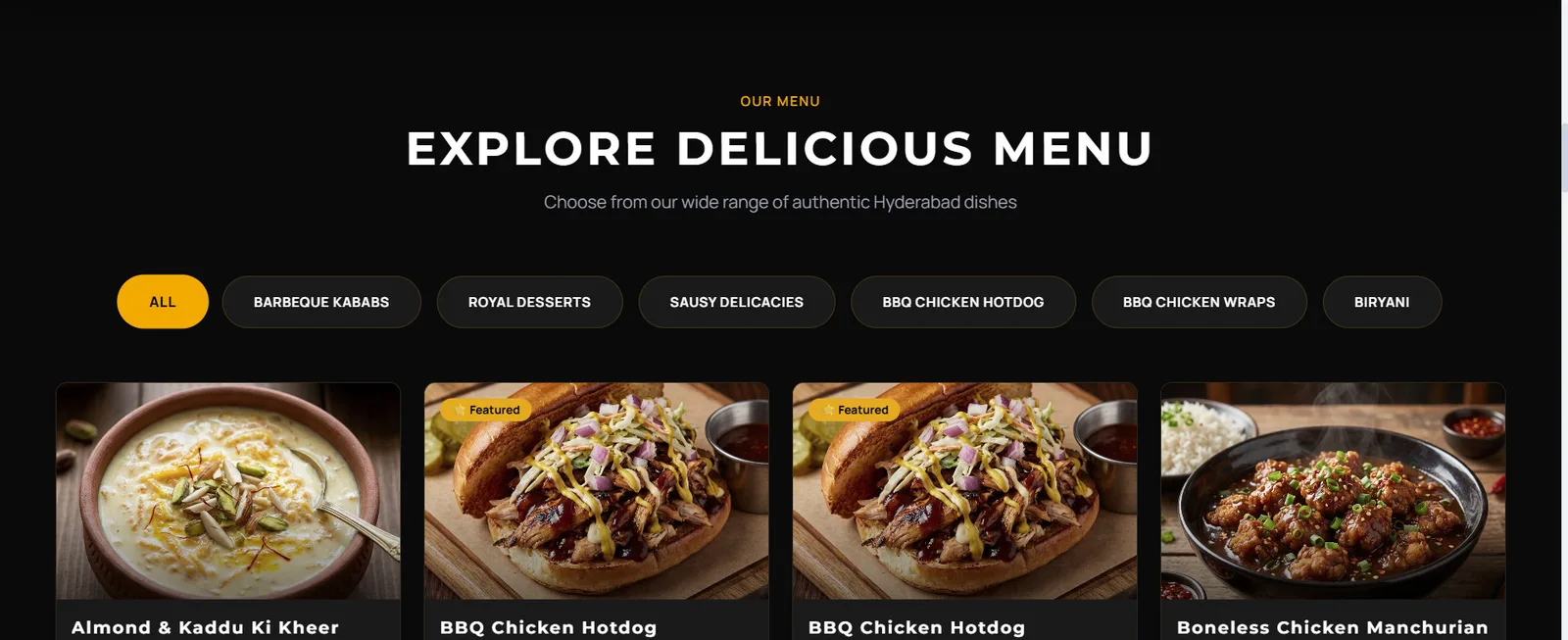
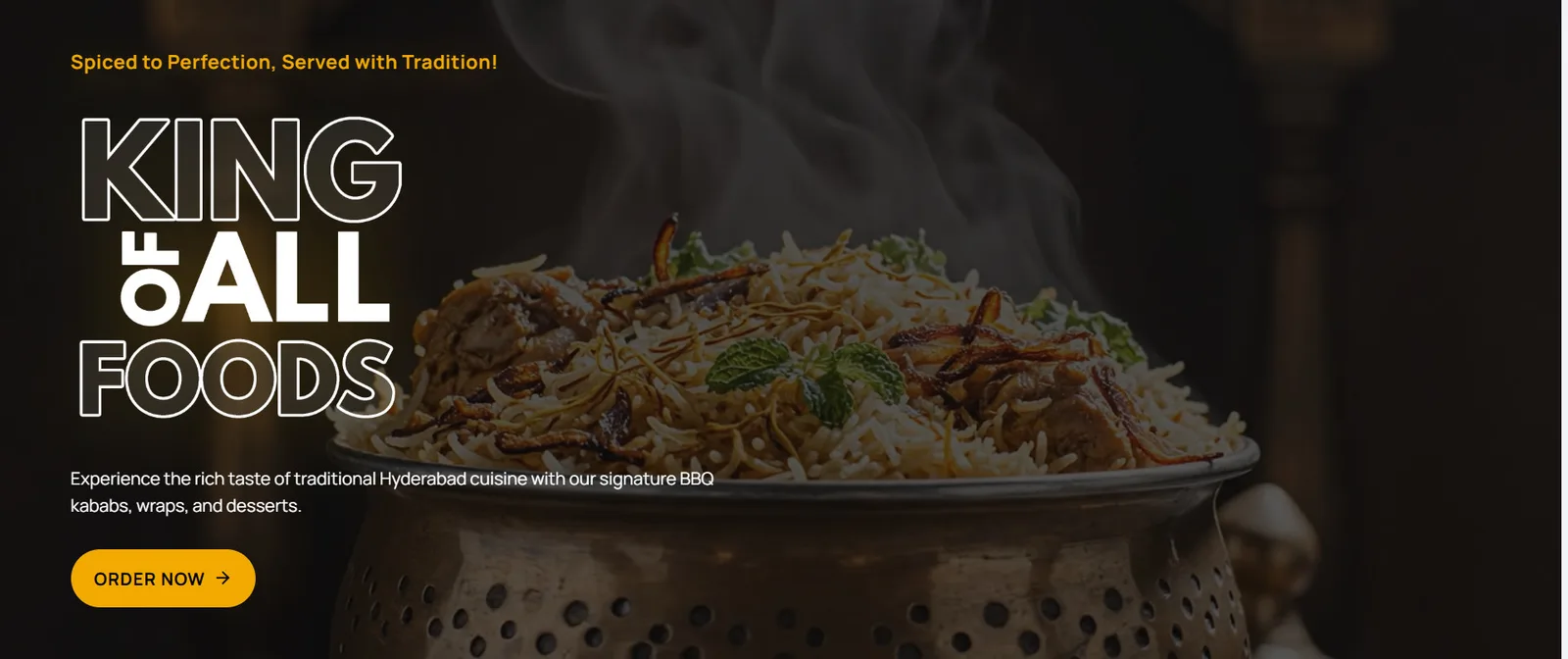
The storefront home page, opening on a biryani over a dark field with one Order Now button under the headline.
The front door: a browser, a dish and one button. Nothing to install first.
Sector
Independent restaurants — one kitchen, several channels
Surfaces
Three — storefront, admin console, Android panel
Behind them
One API, one menu, one order record
Shipped
Signed Android build; an iOS target in the codebase, not submitted
02

The order

· Web/ 04

Checkout without an app, then something to watch.

Most food orders die at the checkout, so this one asks for as little as it can get away with and remembers what it was told last time — a saved address is a tap rather than a form. Once the order is placed it gets a page of its own, because an order a customer can watch is an order they do not ring up about. And the words on that page are the words the kitchen sets, so there is never a second vocabulary between the two of them.

  1. 01

    One toggle, not two flows

    Delivery or pickup changes the whole order, and the address block follows it rather than sitting beside it.

  2. 02

    Paid on the same screen

    Cash on delivery or online is chosen where the address is, not behind another step.

  3. 03

    One vocabulary, both ends

    Pending, confirmed, preparing, ready, out for delivery — the customer reads what the kitchen set, and cancel sits on the order itself.

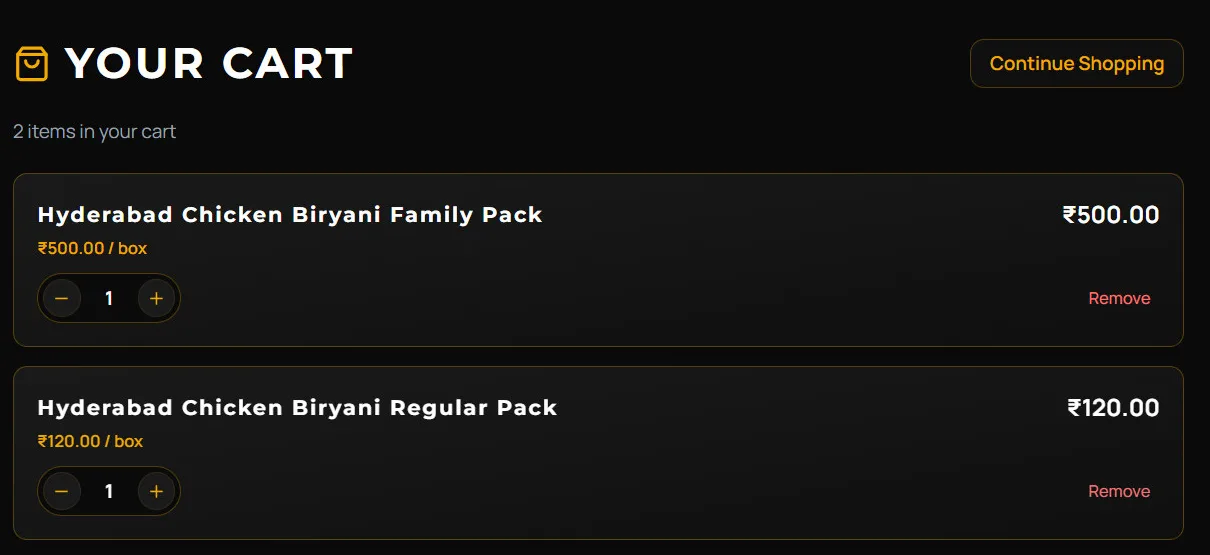
The cart with two items, each carrying its unit price, a quantity stepper and a remove link.
Two items, two steppers, one running total — and no account asked for yet.
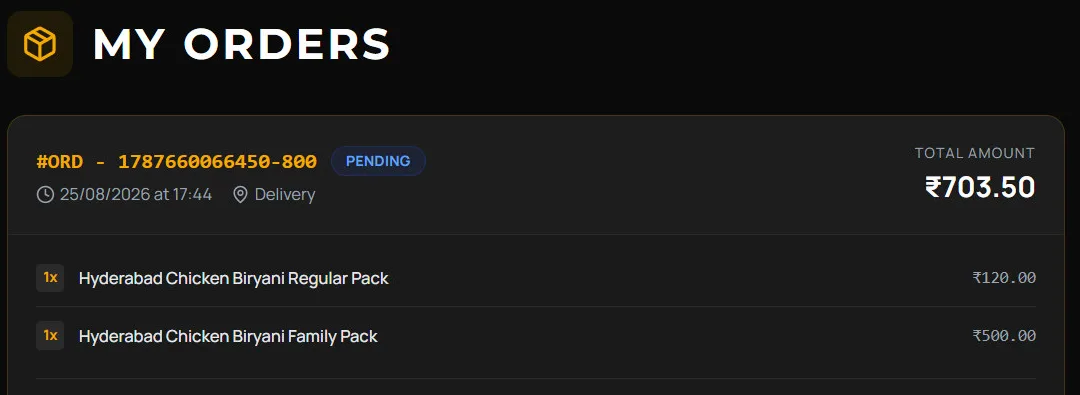
A placed order shown with its reference, a pending status chip, the time it was placed, its channel and its two lines against the total.
The order after it is placed: a reference, a state, and the two lines behind the total.
03

The console

· Web/ 04

A menu the owner controls.

The console exists so nobody has to ring a developer to change a price, publish an offer or rewrite the home page. That is a low bar and most restaurant systems still miss half of it: the menu is editable but the website is not, or the website is editable but the offer codes live in a config file. Here the site itself is content — hero, banners, gallery, FAQs and contact pages — and the dashboard answers the two questions an owner actually asks mid-service: what is coming in, and where from.

  1. 01

    Priced and published here

    Categories, items, photographs, prices and offer codes, all in the one console.

  2. 02

    Availability is a switch

    Sold out is a toggle per dish, so a mid-service change costs nobody a menu rebuild.

  3. 03

    Every channel counted apart

    Walk-in, dining, takeaway, online and the third-party aggregators each keep their own count rather than sharing one total.

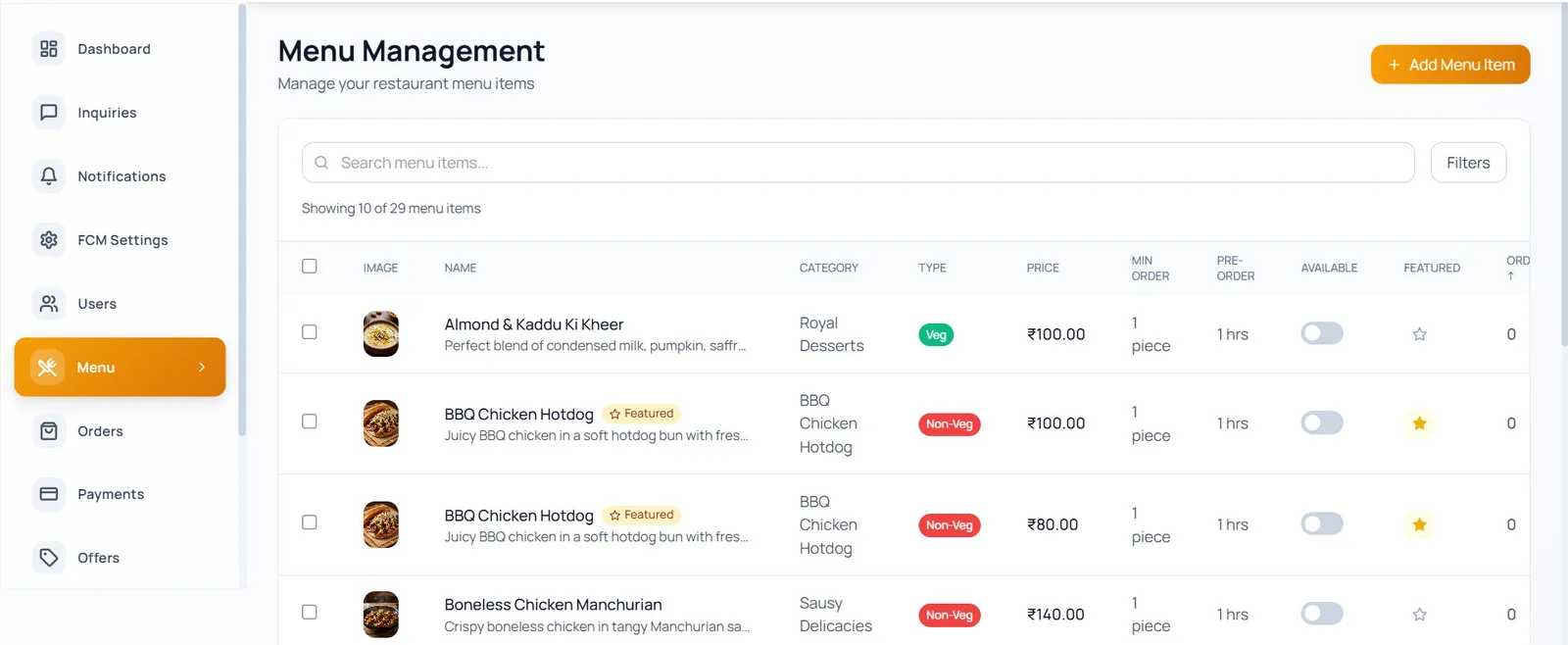
The menu management table listing dishes with their category, veg or non-veg type, price, minimum order, pre-order time, availability toggle and featured star.
One row per dish, and the two switches that matter — available, and featured.
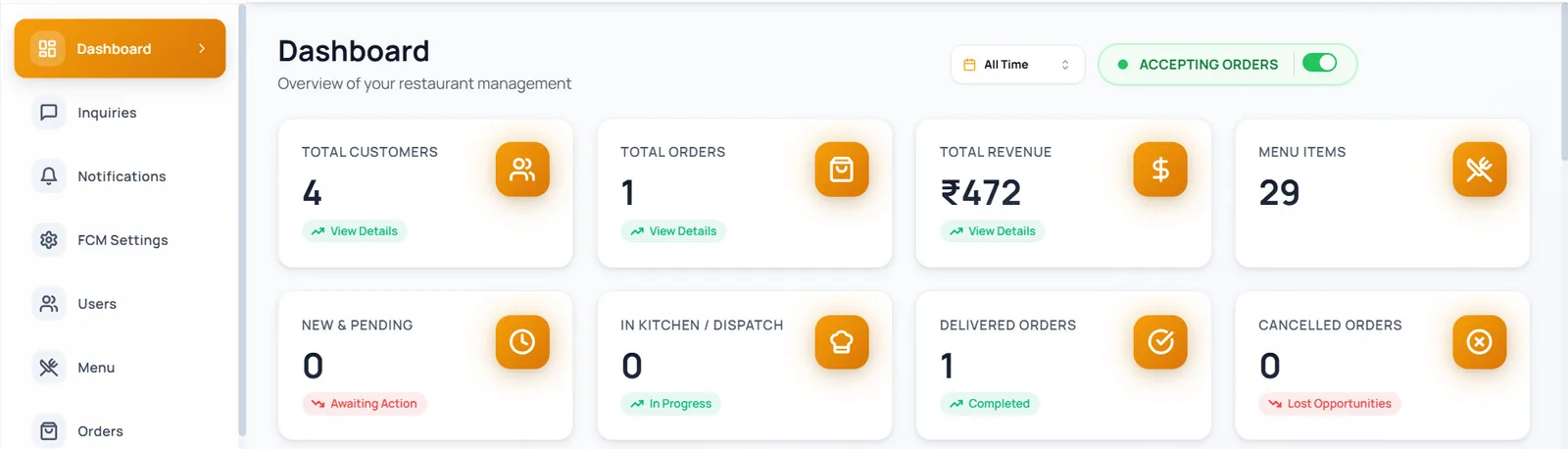
The console dashboard with customers, orders, revenue and menu items on one row, and new, in-kitchen, delivered and cancelled orders on the next.
Four states as four tiles, not one list — and an accepting-orders switch over them.
04

The floor

· Mobile/ 04

The same console, in a pocket.

A busy floor does not walk back to a desk. What it gets is not a companion app carrying a subset of the truth: it is the same console reached from a pocket, so a dish switched off between tables is switched off on the site before the next customer loads the menu. One system with two ways in, rather than two systems and a nightly job to keep them agreeing. It ships as a signed Android build; the iOS target sits in the codebase and has not been submitted.

  1. 01

    Open, or closed

    Accepting orders is a switch on the first screen, not a setting three taps in.

  2. 02

    One record, two clients

    The phone and the site read the same row, so there is no window in which the two of them disagree.

  3. 03

    Over the console’s own API

    Flutter, Riverpod and Dio against the endpoints the panel already calls — no second backend.

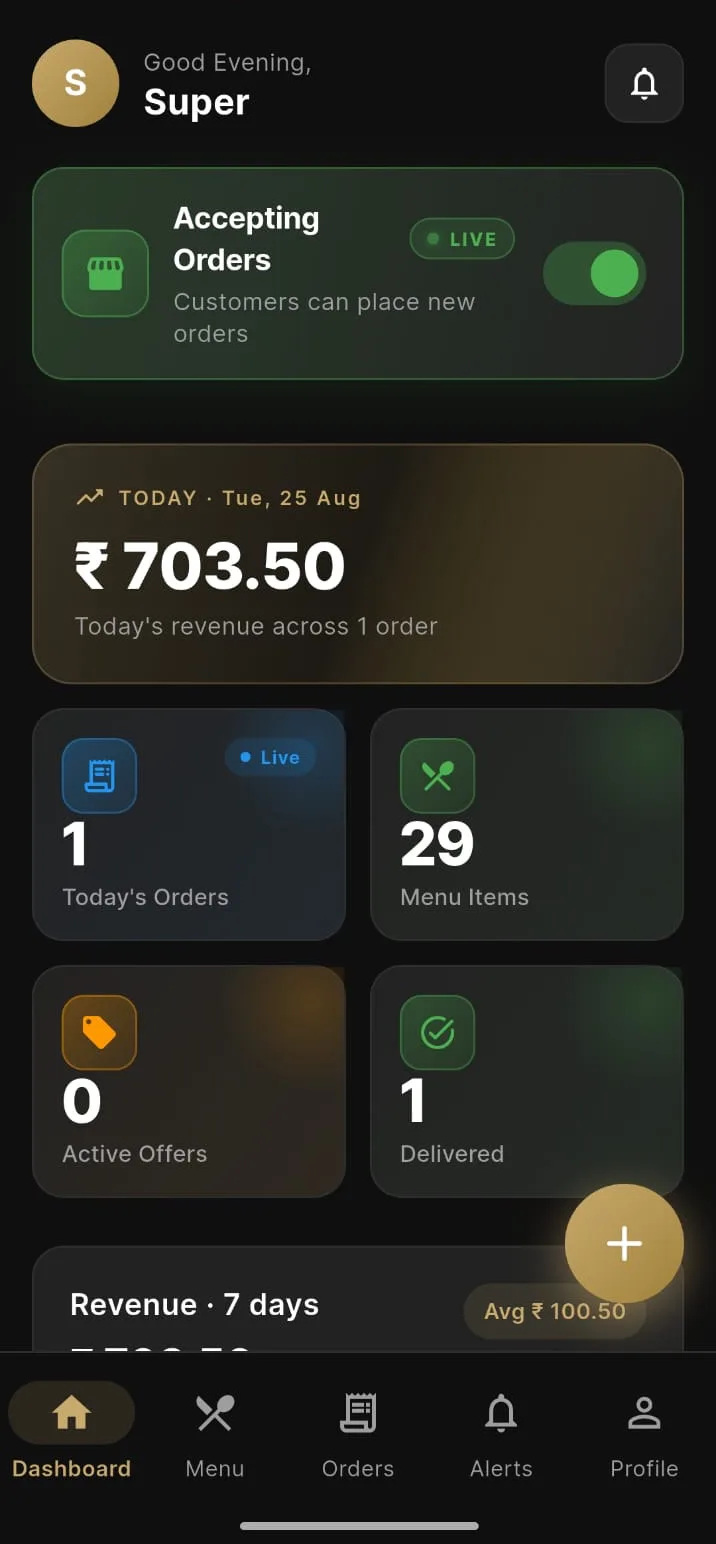
The Android panel home screen with an accepting-orders switch, the day’s revenue, and tiles for orders, menu items, active offers and delivered orders.
Open or closed is the first control on the screen, above the day’s takings.
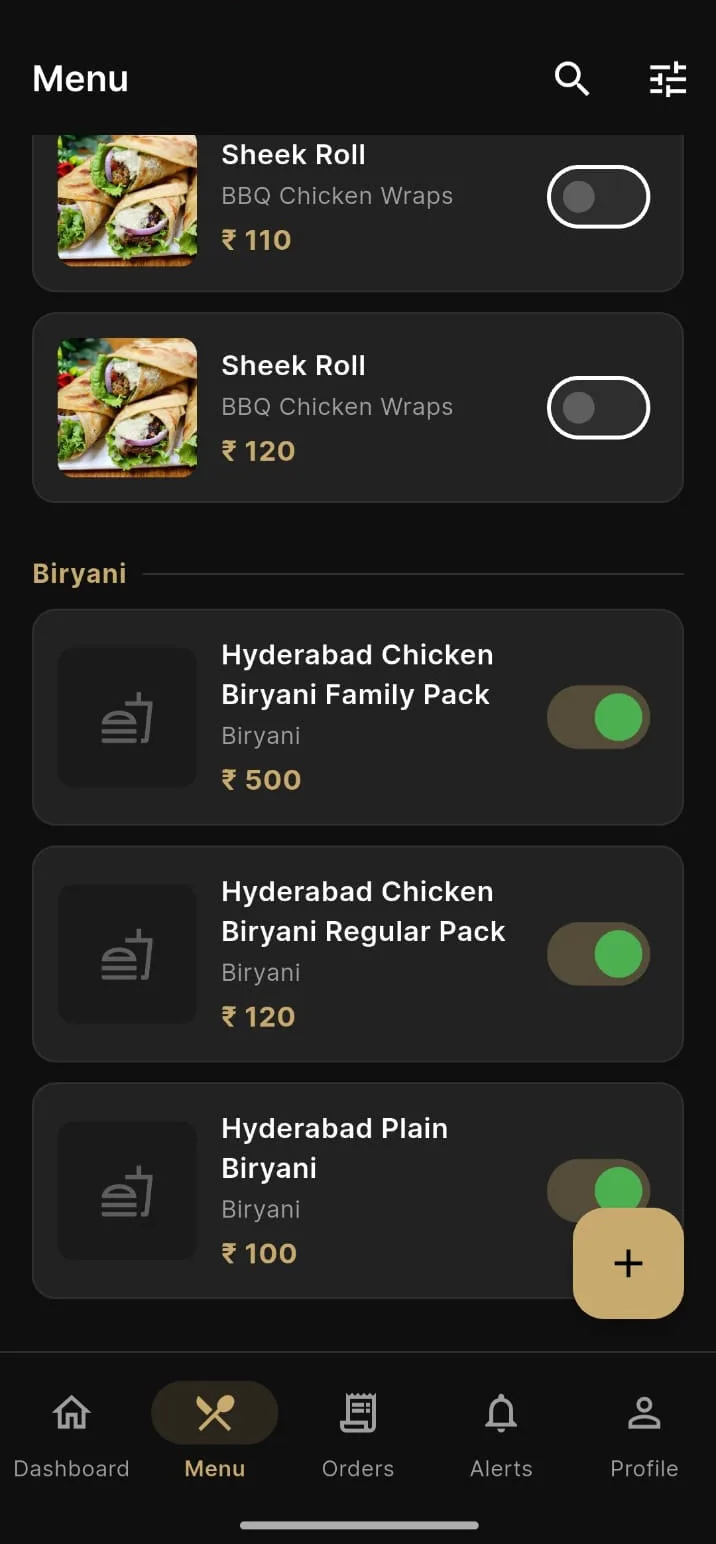
The Android menu list, each dish carrying its category, its price and an availability toggle.
The same dishes, the same toggles — because it is the same record.

The last word

This shows how Famysys builds when a kitchen sells in more than one place at once: one order record, and three surfaces that read and write it — a browser the customer needs nothing to use, a console the owner runs the business from, and a phone the floor carries. We start from your menu and your order flow rather than from a template.

Built in

  • Storefront
  • Menu & categories
  • Cart & checkout
  • Delivery or pickup
  • Order tracking
  • Admin console
  • Offers & codes
  • Site content
  • Channel counts
  • Android app
  • One API

All projects

Let's build what's next

Technology alone doesn't transform businesses.The right partnership does.

Modernizing systems, building a new product, or exploring AI-driven transformation — Famysys helps you move forward with confidence.

  • SOC2 Type II Compliant
  • Strict Commercial NDA
  • Zero Lock-In Guarantee

Famysys

We Engineer Clarity

Scan to Connect

Instant digital business card & WhatsApp link